 By Víctor Kranchuk · Updated November 20, 2026
Few e-wallets can match Google Pay for sheer convenience, and it backs that ease of use with top-tier encryption and security — making it a remarkably flexible option for funding an online casino account. Register, and you could be ready to deposit in a matter of minutes!
Deposit faster using GPay autofill










Why our shortlist includes casinos that don’t accept Google Pay — You may notice that not every casino we recommend supports Google Pay. Some casinos with Google Pay carry serious flaws that render them unsafe or unfair, so we’d rather guide you toward sites delivering a premium experience, even when Google Pay isn’t available.
What would you like to know about Google Pay?
What you can expect from any casino with Google Pay
Google Pay elevates casinos that were already impressive, pushing them to a whole new level. Having spent hundreds of hours researching and reviewing more than 90 Canadian gambling sites, we have pinpointed the safest, most dependable casinos for Google Pay users.
Find the Google Pay casino that’s right for you
Take our quick 30-second quiz to discover the ideal Canadian site for your needs
Why some gambling sites don’t meet our requirements
Google Pay casino sites aren’t all equally safe to gamble at. That’s why we refuse to recommend venues that hold back winnings, set unfair odds, or skimp on digital security. Here are three casinos in Canada you should definitely avoid:
Why you should avoid
- Customer support that’s unprofessional
- Operators tied to questionable practices
- Winnings that were never paid out
Why you should avoid
- Complaints from players about missing winnings
- Licensing claims that mislead
- No replies to customer complaints
Why you should avoid
- Withdrawals taking 18+ months
- Accounts that get locked out
- Slow response times
Curious to sample the leading titles offered at google pay casinos?
Is Google Pay worth using at online casinos?
“Google Pay at online casinos is well worth using. Anywhere the e-wallet is accepted, it delivers extra protection compared with entering your credit or debit card details directly, yet it stays just as easy as paying by card. Being able to store several cards in Google Pay and choose which one funds each deposit adds flexibility to every transaction.”
What I appreciate about the e-wallet ❤️
- Payments go through proxy card numbers, which means casinos never see your real credit or debit card number.
- Top-tier digital encryption from Google keeps your banking details from being leaked.
- Payment details autofill, letting you finish check-out within seconds.
- You can also tap to pay with Google Pay in person, which makes it a strong all-round payment option for everyday life.
- Works for Android and iOS users alike, and can be used digitally by players who don’t own a phone.
What could be better ❤️🩹
- Google Pay can’t be used to withdraw from online casinos.
- Hardware limits mean it only works on mobile with newer devices.
How to use Google Pay for casino deposits: step by step
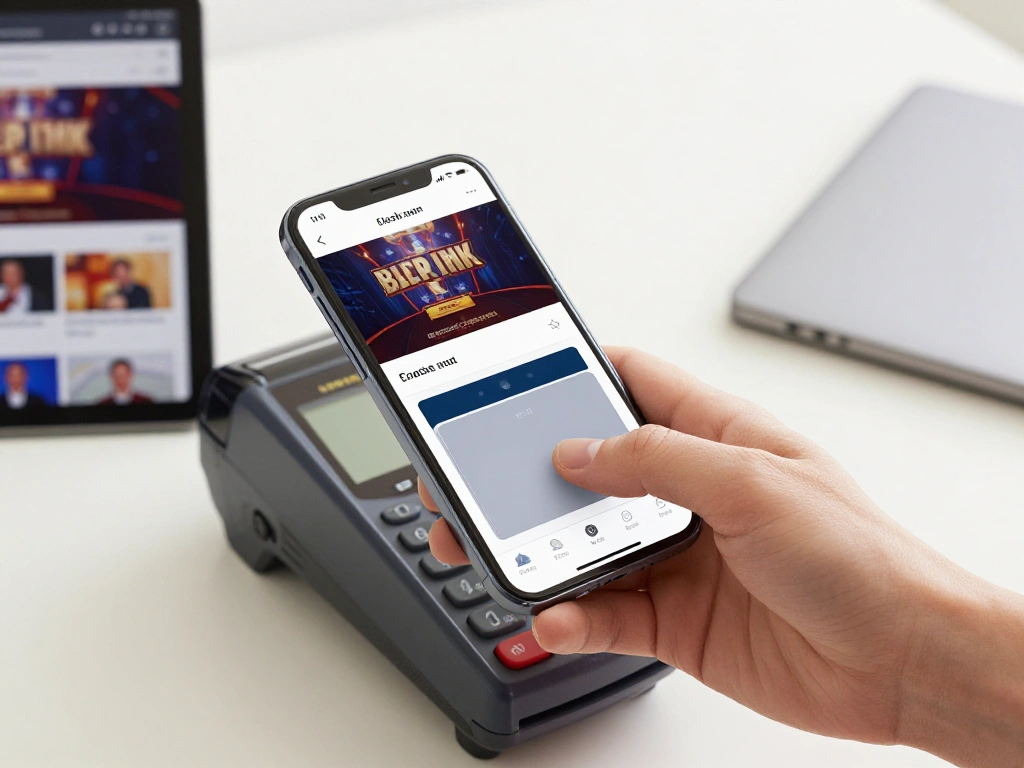
Once your credit or debit cards are saved in your wallet, Google Pay fills in your payment details on its own, so topping up your balance takes only a moment. Follow these steps to deposit with this payment method:
After picking one of the casinos from our shortlist, head to its Deposit area and choose Google Pay from the list of payment options.
Enter the sum you want to deposit and press Submit. You’ll then be taken to a Google Pay page.
Pick the card the e-wallet should charge, then approve the transaction. The funds are transferred to your casino account right away.
What happens with GPay withdrawals?
Google Pay can’t be used to cash out at online casinos. Anywhere you’re able to deposit with Google Pay, you’ll have to choose a different payment method for your withdrawals.
Do I have to pay fees when depositing with the e-wallet? Depositing through Google Pay costs nothing at all. Transactions are processed free of charge, though shady casinos may add their own fees on top. To avoid paying them, stick to licensed online casinos.
How does Google Pay operate?
Google Pay works as a digital wallet: it keeps your credit or debit card details on file and acts as a go-between payment processor, creating a layer of separation between you and the online casino. When you deposit, Google Pay can also fill in your payment details automatically from any card you’ve already saved, so there’s no need to dig your card out of your pocket. Compared with paying the casino directly by card, this route gives you stronger security. Google Pay scrambles your information, hands the casino a one-off code rather than your card number, and issues fraud alerts whenever a transaction looks suspicious.
“Google Pay also links up with your phone or smartwatch so you can pay in person with a tap. Setting the wallet up as your everyday payment method — for ordinary purchases and casino deposits alike — takes only a few minutes.”
Setting up Google Pay on your phone
Android and iOS users alike can configure Google Pay to make contactless payments from their handset, or to confirm online purchases made on the device. Here’s how to begin:
- Sign up for a Google account if you don’t already have one, since Google Pay has to be linked to it.
- Get the Google Pay app. Android owners will find it in the Google Play store, while Apple users can download it from the App Store.
- Log in to the app and pick how payments get verified. If your phone has a lock screen, simply unlocking it can serve as verification.
- Link a credit or debit card to your wallet. You may be asked to prove the card belongs to you.
- That’s it — you can pay from your phone. Launch Google Pay and tap your device to make a contactless payment.
Check that your mobile device is compatible
Contactless Google Pay payments need specific hardware that only more recent handsets carry. Android devices running version 9.0 or newer work provided they have Near Field Communication (NFC), while Apple devices need iOS 17.0 or later.
How we review the top online casinos that accept Google Pay in Canada
To decide which sites deserve a place on our list, our team has invested hundreds of hours examining the leading casinos on the market. A 25-step review process tells us which operators deliver the most entertainment, the strongest value, and the tightest security. Below are the criteria we weigh most heavily when choosing our recommended Google Pay casinos in Canada
Casinos need to be transparent about how long payments take, and that information should be easy for players to find. Once those stated speeds check out, we ask whether transactions are actually quick or sluggish. Ideally, your winnings land in 1 day or less, which is what you usually get at fast withdrawal casinos. Any casino we recommend also has to process deposits instantly.
Deposit minimums
We like to see minimum deposits sitting somewhere between $10 and $20. That range filters out the weaker operators whose only draw is cheapness, while still keeping deposits affordable. The minimum deposit should also line up with the minimum needed to redeem bonuses.
Fees and transaction limits
Generous maximums paired with low minimums give you far more flexibility, whether you play casually or stake like a high roller. Cash-outs ought to carry high daily, weekly, and monthly caps as well, and consistency across those limits is a nice extra. On top of that, we only recommend casinos that charge no fees, so every transaction stays free.
Google Pay deposits are nearly always $10. When a casino raises its minimum deposit for this particular payment option, we grow suspicious that it wants to squeeze extra cash out of players.
Other payment methods
Even when Google Pay is accepted for funding your account, you’ll still need alternatives for cashing out. The wider the choice of payment methods, the better, since players can then pick whatever suits their own needs. A spread of credit, debit, e-wallet, and cryptocurrency options makes banking much more flexible.
Bonus eligibility
A high-value bonus is pointless if it can’t be redeemed. We want to be able to claim bonuses on Google Pay deposits, and the minimum to claim a bonus should match the minimum deposit. It’s also good to see bonuses with low wagering requirements and long windows in which to clear them. For a clearer view of how these conditions differ from site to site, our guide to casino bonuses breaks down the key terms worth checking before you sign up.
Security standards
Only safe online casinos make our list, and the licence is the first thing we judge. A valid licence from a reputable regulator (Curaçao, Malta, Ontario, etc.) is non-negotiable. Audits from organizations like eCOGRA provide further evidence of a casino’s legitimacy. Digital safeguards such as SSL (Secure Sockets Layer) encryption should also be in place to protect player data.
Robust responsible gambling tools are another way to keep players safe. We want to see self-exclusion options, deposit and betting limits, and links to external resources.
Player reviews
Beyond our own first-hand research, we check what previous players think about a casino. Are there complaints about withheld payments? Do withdrawals arrive later than expected? We track this feedback down on trustworthy platforms like Trustpilot or industry forums. It also says a lot when a casino reaches out to disgruntled customers to resolve their complaints.
Overall score
After we’ve weighed every factor tied to Google Pay and banking, we also consider the rest of the customer experience before settling on an overall rating. The size and quality of a casino’s games library, the number of bonuses, how effective customer support is, and how easy the casino site is to use all come into play.
Main features of Google Pay for gambling sites
| 💸 Minimum deposit | $10 |
| ⌛Average deposit time | Instant |
| 🪙Service fees | None |
| 📱Compatible devices | Android 9.0 or later, iOS 17.0 or later |
| 🏦Alternative payment methods | Apple Pay, PayPal, Payz, Neteller |
Top alternative banking options
Depositing with Google Pay is straightforward, yet a different payment option may suit you better. One clear substitute is Apple Pay, which works only on iOS devices. You could also look at PayPal and Payz, a pair of additional e-wallets. Meanwhile, Neteller is a solid choice when you want to move funds straight from your bank account.
Compare the main payment methods available at Canadian casinos
Alternatives differ in how quickly they process transactions, what they charge in fees, and how much you must deposit at minimum. Weigh the leading choices below to land on the strongest Google Pay alternative for your situation:
| Payment provider | Deposits | Withdrawals | Minimum deposit | Fees |
|---|---|---|---|---|
| Apple Pay | Instant | 1 – 3 days | $10 | Free |
| PayPal | Instant | 0 – 1 day | $10 | Free |
| Payz (formerly ecoPayz) | Instant | 1 – 4 days | $10 | Up to 6.0% of deposits, or up to $15 on deposits |
| Neteller | Instant | 0 – 2 days | $10 | 2.5% of deposits |
Is Google Pay safe for gambling use?

Google regularly rolls out fresh protective features, which means Google Pay grows more secure over time. A few of these safeguards are what set it apart from the competition.
Proxy Card Number
Whenever you deposit through Google Pay, a randomly created number is sent to the casino to validate the transaction. Your real card number therefore never reaches a gambling site.
Lock Screen Verification
Should you try a contactless payment more than 5 minutes after your phone was last unlocked, Google Pay will ask you to verify yourself. That way, nobody can grab your device and pay without your passcode.
Google Cybersecurity
Google ranks among the world leaders in digital encryption and security, and plenty of its top cybersecurity breakthroughs are built into Google Pay to keep your payments protected.
Customization
You choose which functions Google Pay uses, opting in or out of features as you please. If all you want is help securing transactions, simply switch off autofill or contactless payments.
“Together with partners worldwide, we will keep adding new and helpful features to Google Pay, so it remains the most convenient and secure choice for your daily essentials.”
Extra resources
Find a rundown of the security measures with Google Pay.
Get the app from the Google Play Store
Work through the steps to set up Google Pay and your Google Wallet.
Browse the FAQ section of Google Pay and reach out to the customer service.
Always play responsibly with this e-wallet
Apex Casino takes responsible gambling seriously. Thanks to Google Pay, removing payment methods from your Google Wallet is a simple process, which stops you from using them for online purchases. On top of that, turning off autofill makes Google Pay harder to reach, so you gain extra time to think your deposit through. If you, or somebody you know, is struggling with problem gambling, the organizations below can also help:
Responsible Gambling Council
Offers in-depth guidance on how to deal with problem gambling. They champion safer gambling practices in communities worldwide and share new insights into how gambling affects players. Call +1 416-499-9800.
An excellent place to locate the right provincial helpline for problem gambling. It is an independent, knowledge-based charity committed to the cause of safety. Call +1 613-739-1566.
Centre for Addiction and Mental Health
Provides advice on spotting the signs and symptoms of a gambling problem. As Canada’s largest mental health teaching hospital, it sets benchmarks for healthcare, research, education, and driving social change. Call +1 416-535-8501 and press 2.
Gamblers Anonymous
A globally recognized organization that runs support groups through in-person and remote meetings, helping anyone recover from problem gambling. GA also offers resources on responsible gambling. Call +1 855-222-5542.
FAQs
A large number of Canadian online casinos let you deposit with Google Pay. Among our favourites are Spin Casino, Roman Casino, and BetVictor.
Correct — Google Pay caps contactless payments at $250. Some merchants apply a lower ceiling, however, so confirm the amount before you pay.
Unfortunately, no. Canadian online casinos do not support Google Pay for cashing out winnings.
Samsung Pay works much like Google Pay — both keep your credit or debit cards on file for digital transactions. The key difference is that Samsung Pay only runs on Samsung handsets.
No. Google Play Store credit can only be redeemed inside the Google Play Store itself — it can’t be withdrawn or spent at any other vendor, which means it’s no good for gambling.